
Nocturnal Desk
The core of Nocturnal: tasks, Docs and whiteboards in one app on your Windows PC. Your workspace is a folder you own, and nothing in it leaves your computer unless you send it.
Plan the way the work needs.
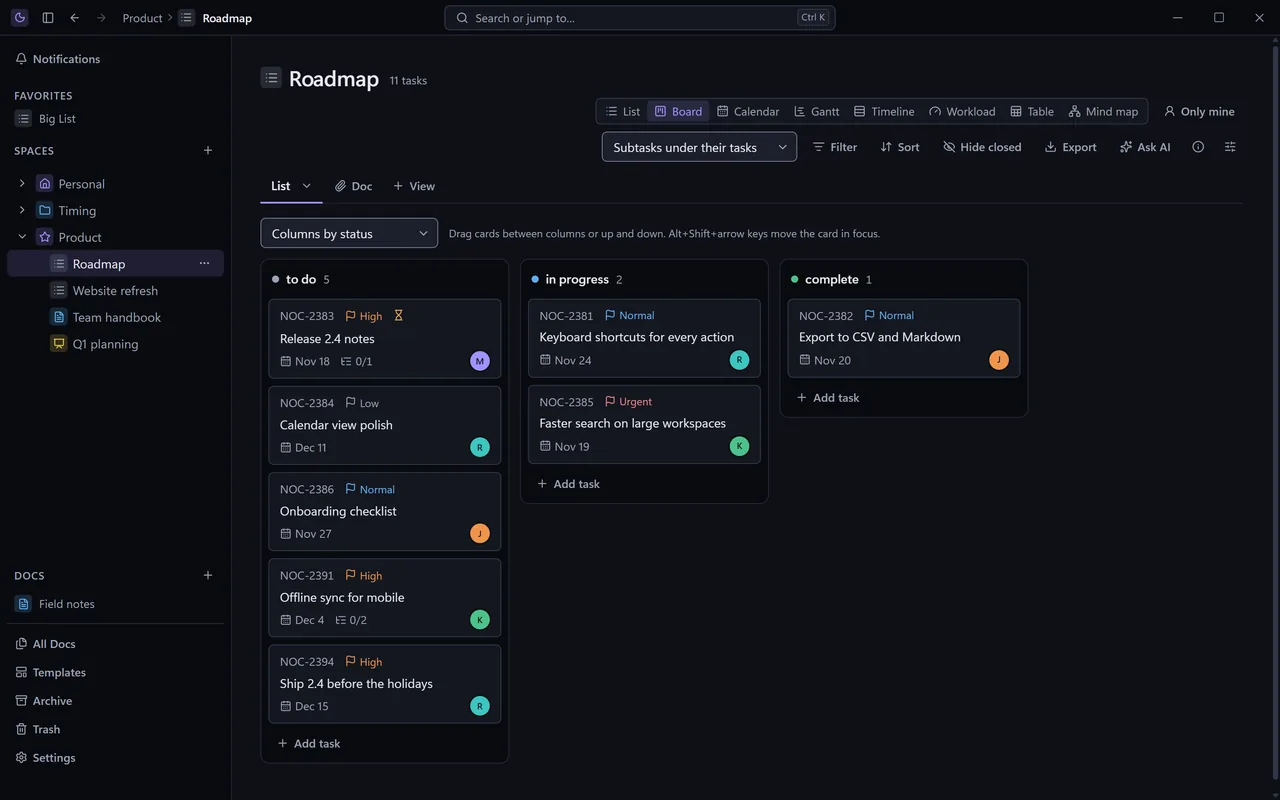
- List
- Board
- Calendar
- Gantt
- Timeline
- Workload
- Table
- Mind map
- Tasks with depth: subtasks eight levels deep, checklists, dependencies, repeating tasks and reminders.
- Custom fields of every kind, including formulas, roll-ups and AI fields.
- Templates, approvals and automations for the work you do again and again.
- Time tracking and column totals, with Lists exported to Excel or CSV.
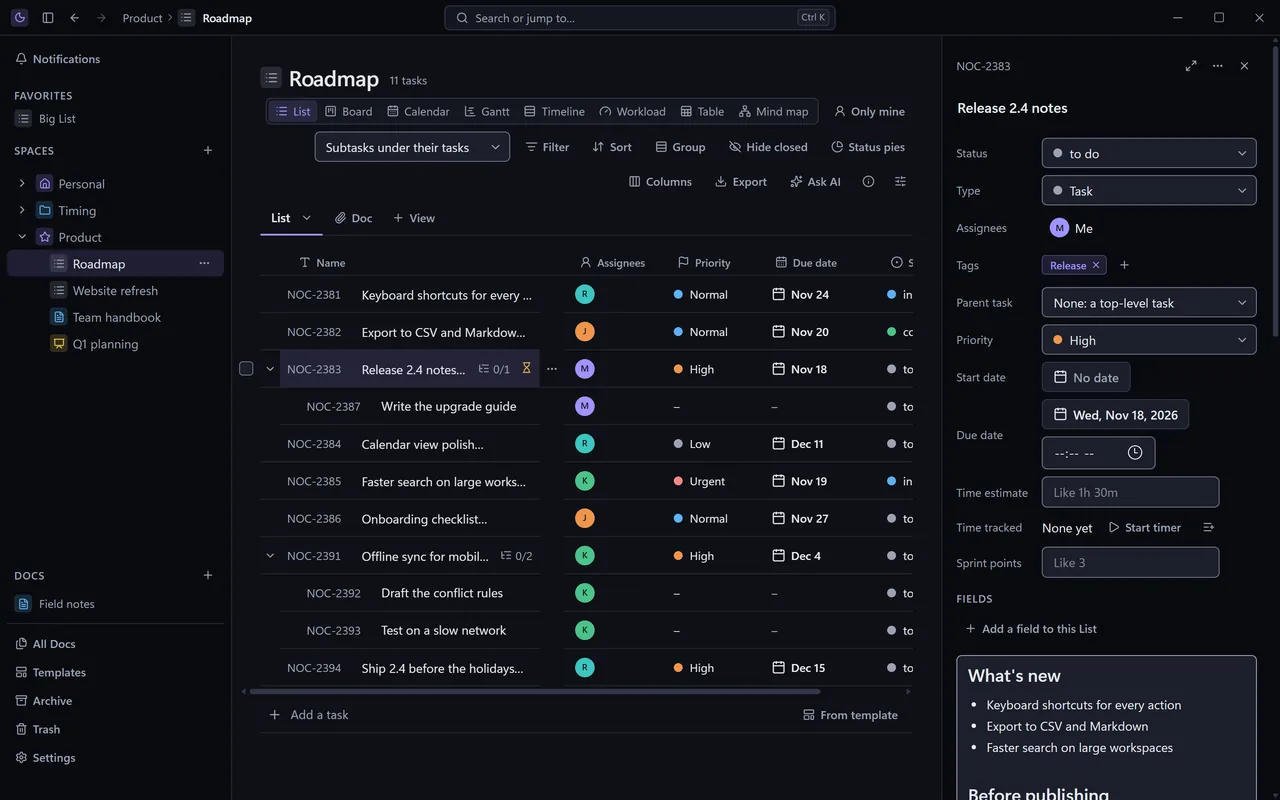
Everything about a task, in one panel.
Status, people, tags, dates, estimates, a rich description, files and comments with mentions and reactions, beside the List you're working in. Its activity shows who changed what, and when.
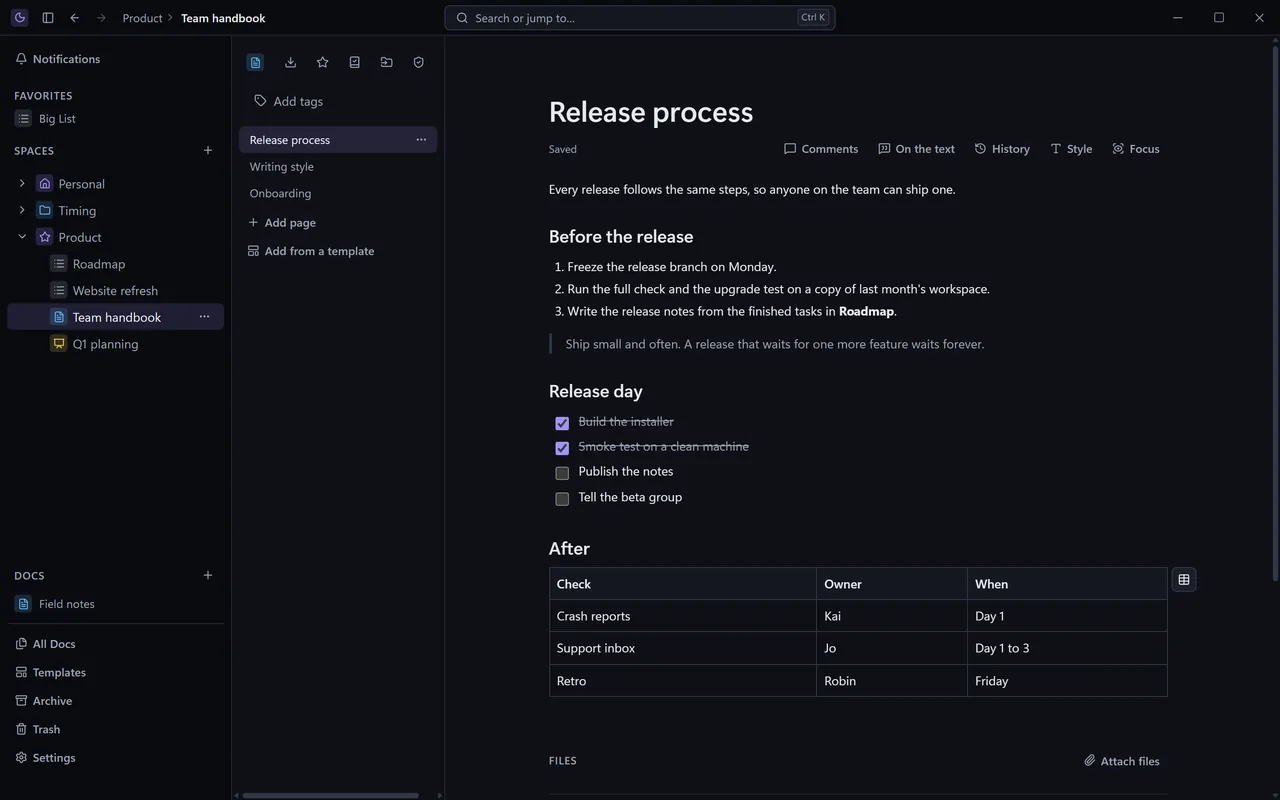
A knowledge base that knows your tasks.
- Pages inside pages, with tables, callouts, toggles, columns and code.
- Linked to the work: mention a task, embed a live List, turn a line into a task, and see every backlink.
- History you can trust: every page version kept, compared and restored.
- Comments on the text, locked pages, and verified wiki pages.
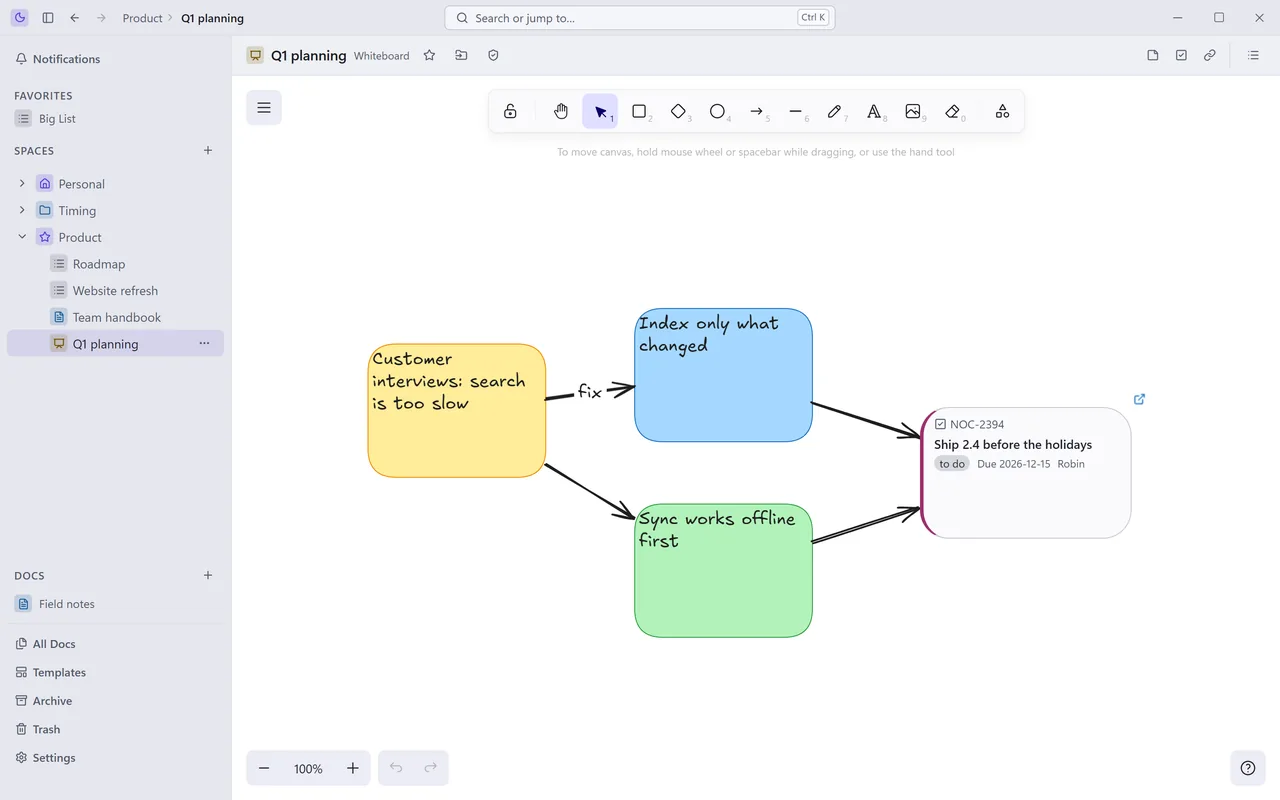
Think it through, then make it a task.
Sketch with sticky notes, shapes and arrows. Turn a note into a task, and its card stays live on the board as the work moves. Desk comes in a dark theme and a light one, or follows Windows.
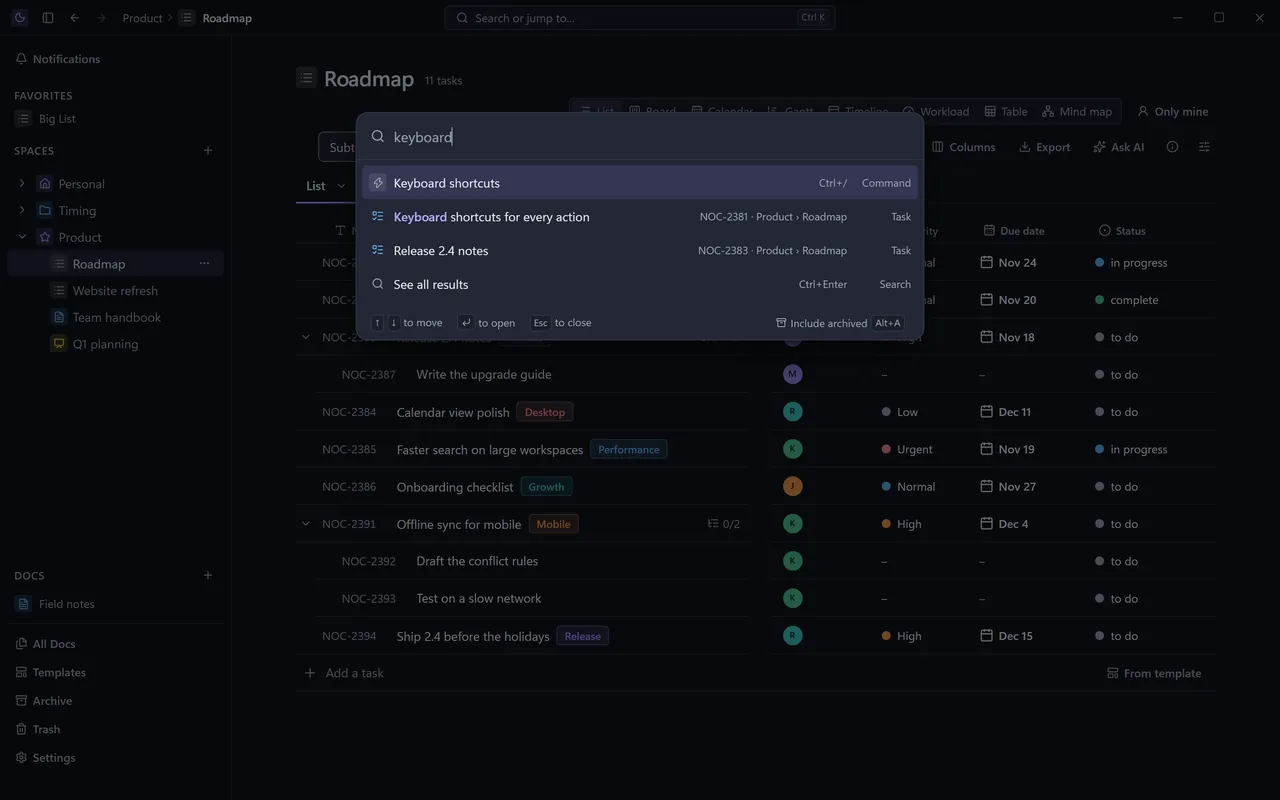
Find anything with Ctrl+K.
One box searches every task, page and command, and takes you there. Desk is built to be driven from the keyboard, and stays quick in a workspace of ten thousand tasks.
Bring your own model
Use a model on your own PC through LM Studio or Ollama, or your own Anthropic, OpenAI or Gemini key. Ask AI about a List or a page, rewrite a selection, fill AI fields, and ask questions across your workspace with sources cited.
Agents in your workspace
An MCP server and the noc command line let Claude Code, Codex and other tools read and update your tasks and Docs. Each agent gets only the access you give it, its changes carry its name, and deletes wait for your approval.
Access by item
Set any Space, Folder, List or Doc to No AI or Only AI on this PC. Nocturnal's AI features and your agents both follow it, so what you keep private stays private.
Nothing is ever really lost.
Undo anything
Every change is recorded with who made it, person or agent. Undo it, restore it from Trash, or put back an earlier version.
Backups and export
Automatic backups, a full export of your workspace, and pages as Markdown or HTML, whenever you want them.
Move in easily
Bring your work from ClickUp, Jira, monday.com or Obsidian, or any spreadsheet saved as CSV.
Also in Desk.
Organize
- Spaces, Folders and Lists, with colors and icons
- One task in several Lists
- Task IDs per Space, like GB-12
- Favorites and an archive
- Every task in a Folder or Space, in one view
Managers
- Tag manager: rename, recolor, merge, and choose where each tag is offered
- Custom field manager, with fields required per List
- Task types: Task, Milestone, Bug and your own
- People, and AI agents beside them
- Every keyboard shortcut in one list, with Ctrl+/
Lists
- Saved views with filters, sorting and grouping
- Column totals
- Bulk edits on many tasks at once
- Drop files on a List to make tasks
- Only mine, and Hide closed
Docs
- Page and Doc templates
- Synced blocks across pages
- A Doc as a tab in a List
- A graph of how pages link
- Images, video, embeds and bookmarks
- Page styles and focus mode
Working with others
- Comments with mentions, reactions and files
- Comment threads assigned to someone
- Comments on the text of a page
- A task made from a comment
- A Notifications page
Guides and moving in
- A guide to connecting AI agents, in the app
- Guides for moving in from ClickUp, Jira, Obsidian and monday.com
- ClickUp import with files, comments and original dates
- CSV import with column mapping
- A guide to taking everything with you
Under the hood
- An audit log of every session, with revert
- Hourly backups while you work, and restore
- Trash that keeps 30 days
- nocturnal:// links that open the app right there
- An icon in the Windows notification area
Free, always.
Desk is for 64-bit Windows and installs without admin rights. It's in early access now.